Most of my tips and tricks apply to all android devices and are listed on this page:
Galaxy Tab (and Android) Tips and Tricks.
Items I have found specific to the 10.1 are listed below.
Galaxy Tab 10.1 comparison to Galaxy Tab 7
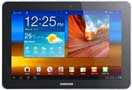
Now that I have owned my new Galaxy Tab 10.1 for two weeks it is time to compare it to the original Galaxy Tab I have owned since the day they went on sale last November.
The screen and really pretty and the case is really thin and slick. The screen is really to big to hold in one hand, it is like the Ipad in that you need two hands or one hand plus your lap or something to hold it.
Since I have the WiFi version I don't have any Verizon applications installed that I could never get rid of on my Galaxy 7. Thankfully Samsung did include Quickoffice so I can view and edit office applications.
The next thing that took me a few days to get used too is the buttons are not the same. There are no hard buttons on the front, instead there are soft buttons at the bottom of the screen, (no matter what way the screen tips they stay at the bottom). I cannot figure out why but they also changed the order of the buttons, now the back button is on the far left. Now I am used to the buttons and they are no big deal.
The Android Market is much bigger with more information showing for applications. I like it.

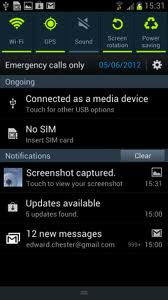
 These detailed and simple instructions will have you rooted, using the Android Market, and installing apps to your heart’s content. This guide to rooting also works after installing the 6.3 update.